 TransmissionSwift
TransmissionSwift / FAQ
Frequently asked questions
Is TransmissionSwift free?
Yes. TransmissionSwift is free to download and use, and the source is published on GitHub.
Why does macOS say the app cannot be opened?
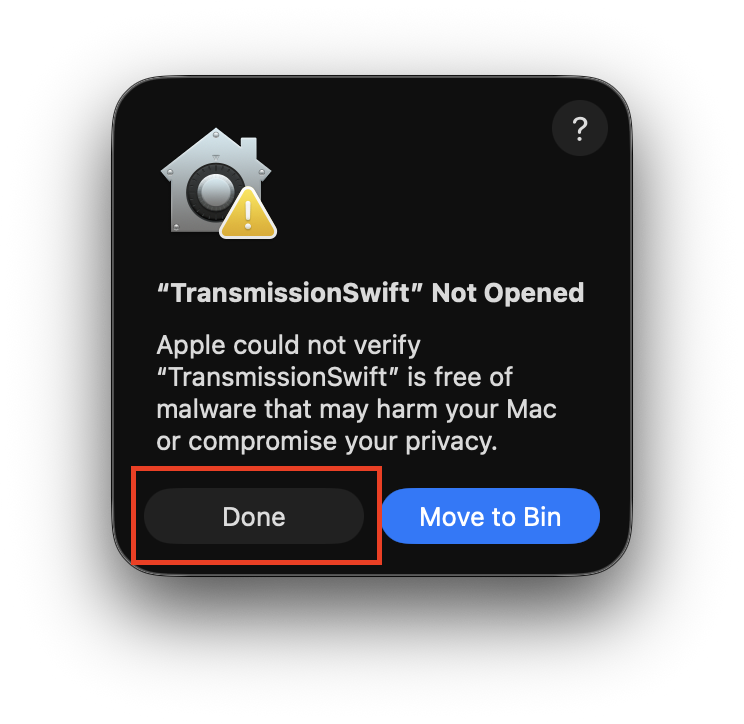
Releases are currently unsigned, so Gatekeeper blocks the first launch. Open the app once and choose Done, do not choose Move to Trash:
Then open System Settings → Privacy & Security, find the Security section and click Open Anyway:
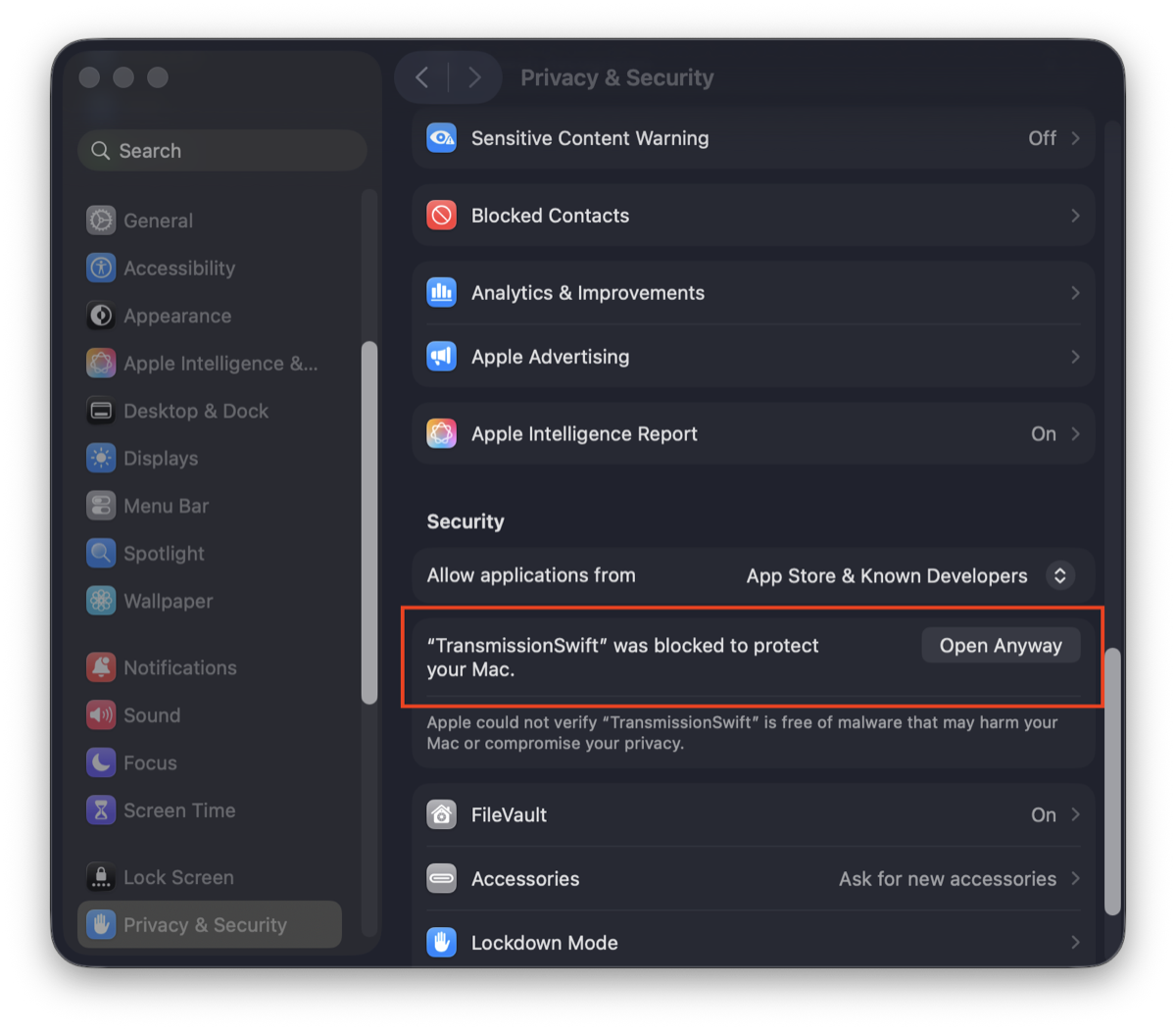
Confirm with your password and open the app again. The same steps are in Apple's support article and the project README.
Which Transmission versions are supported?
TransmissionSwift talks to the classic Transmission RPC API, exposed by Transmission 2.x through 4.x. You do not need to change anything on the daemon. See the remote setup guide.
Does it work with a seedbox?
Yes. Because TransmissionSwift is a remote client, the daemon can run anywhere: a seedbox, a NAS or a home server. Point it at the host, RPC port and credentials.
Can I add magnet links?
Yes. Add torrents from magnet links or .torrent files, by
drag and drop or through the registered file handler, choosing priority,
destination folder and labels.
Does it support Shortcuts, Spotlight and Siri?
Yes. App Intents expose actions to Shortcuts.app, Spotlight and Siri: add torrents, get server and torrent stats, read free space, pause or resume, remove, verify, re-announce, and toggle turtle mode.
Does it run on Intel Macs?
Yes. Releases are universal binaries (arm64 + x86_64) that run natively on Apple silicon and Intel Macs. macOS 26 or later is required.
Where are my server passwords stored?
Passwords are kept in the macOS Keychain rather than a plain file. Everything else lives in local preferences on your Mac.
Is there an iPhone or iPad version?
Not yet. The app is macOS-only today; an iPhone version is on the roadmap.
What macOS version do I need?
macOS 26 or later. The app is a ~4 MB universal binary written in Swift and SwiftUI, with minimal resource use.