 TransmissionSwift
TransmissionSwift / Download
Download TransmissionSwift
Free · macOS 26+ · ~4 MB. Pick a build:
Latest release 0.6.3 · Changelog
The Universal build runs on any Mac and is the safe choice. The Apple Silicon build is smaller and fine on any M-series Mac. Both self-update via Sparkle.
How to open it
Releases are currently unsigned, so macOS Gatekeeper blocks the first launch. It is a one-time step per install:
- Unzip the download and move
TransmissionSwift.appto your Applications folder (or run it straight from Downloads). - Open the app. macOS refuses it, so choose Done, not
Move to Trash.
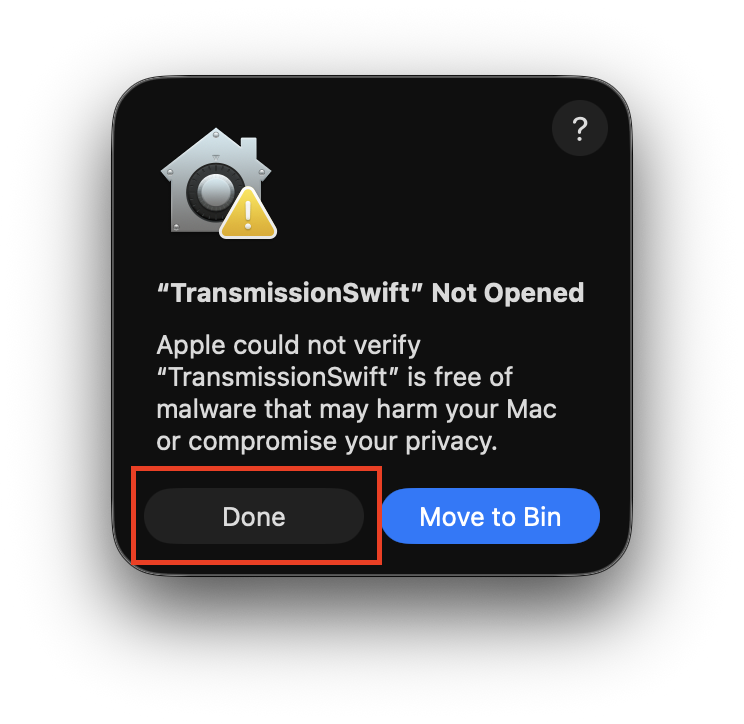
- Open System Settings → Privacy & Security, scroll to the
Security section and click Open Anyway (the button stays for
about an hour).
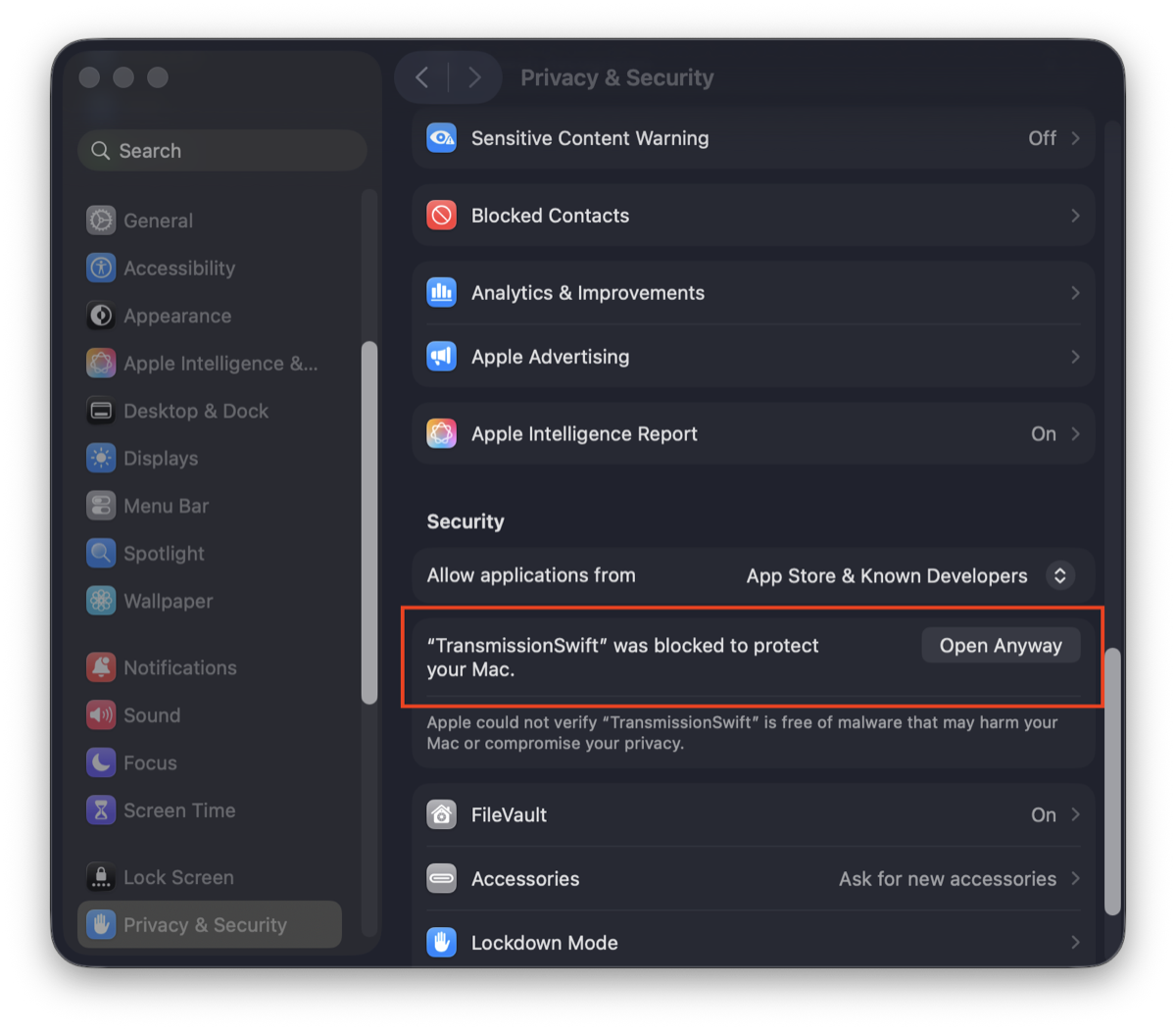
- Confirm with your password and open the app again.
The same steps are in Apple's support article and the project README. Once it opens, the remote setup guide shows how to connect it to your daemon.
Prefer to browse all releases? See the GitHub releases.