TransmissionSwift
A native Transmission remote for macOS
A free, native SwiftUI macOS client for a remote Transmission BitTorrent daemon. Connect over RPC and manage your torrents from your Mac. No browser, no web UI, no Electron.
Everything you need to run a remote daemon
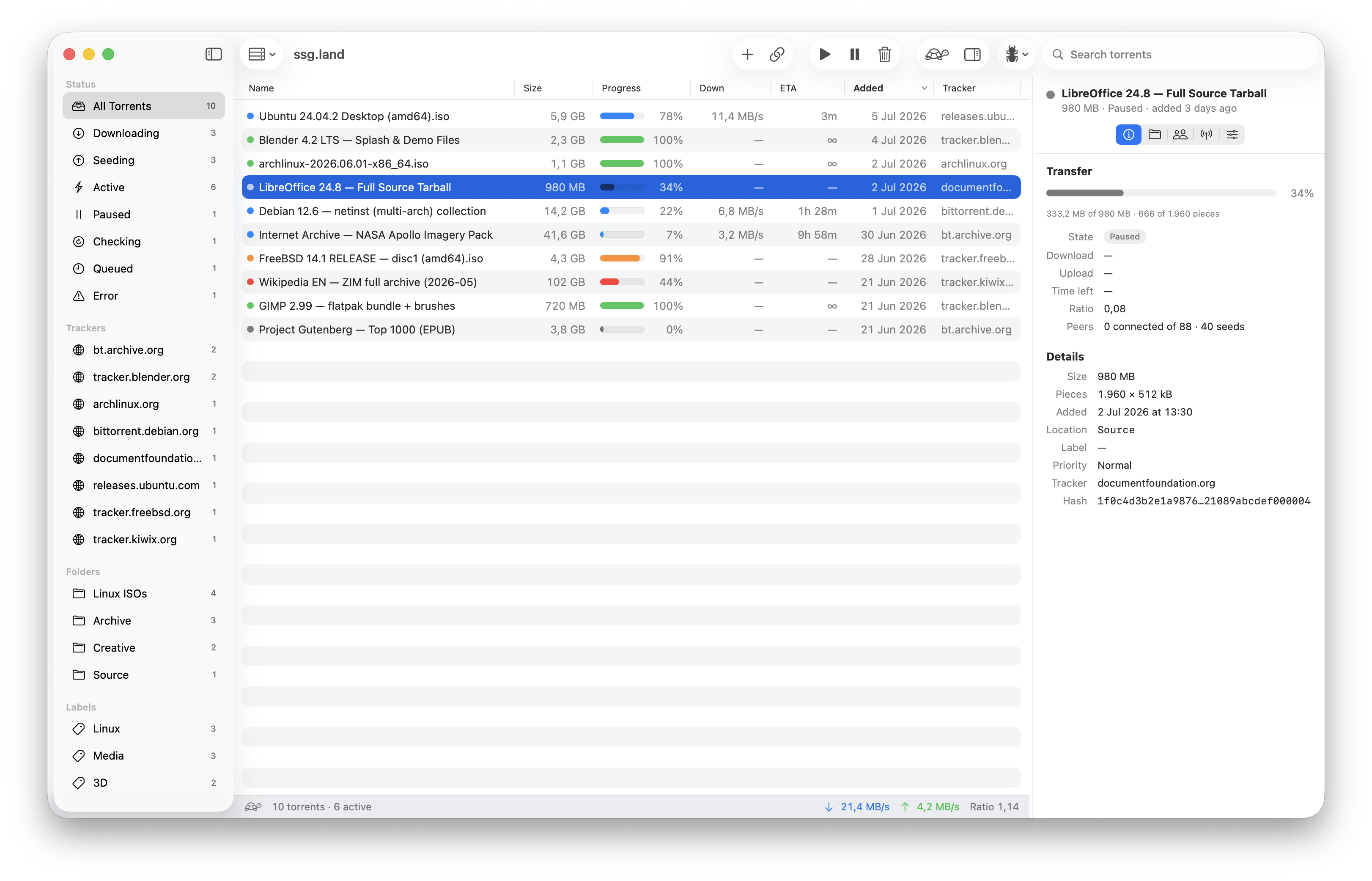
TransmissionSwift is a full remote control for a Transmission BitTorrent daemon, built with Swift and SwiftUI so it feels at home on macOS.
Full torrent control
Start and pause, delete with or without data, verify local data, update trackers, set priorities and mark files unwanted.
Add torrents your way
Drop in .torrent files, register the file handler, or paste
a magnet link or torrent URL, adding paused, choosing a destination and
labels.
Server settings
Change daemon configuration from the app: slow (turtle) mode, speed limits, networking, port checking and seeding rules.
Labels & filters
Combine filters in the sidebar and organise torrents with multi-tag, colour-coded labels.
Path mapping
Open a download in Cyberduck, Finder (mounted or not), VLC or any app via custom URI patterns, with ready-made presets.
Automation
Drive it from Shortcuts.app, Spotlight and Siri: add torrents, get stats and free space, pause or resume, and toggle turtle mode.
Self-updating
Built-in updates via Sparkle keep you on the latest release without hunting for downloads.
Native and tiny
A ~9 MB universal binary written in Swift and SwiftUI. No Electron, no browser, minimal resource use.
TransmissionSwift vs Transmission Remote GUI
If you are looking for a native replacement for transgui on modern macOS, here is how they compare.
| TransmissionSwift | Transmission Remote GUI | |
|---|---|---|
| Native macOS interface | Yes: SwiftUI & AppKit | Cross-platform toolkit |
| Apple Silicon (native binary) | Universal (arm64 + x86_64) | Intel build, Rosetta |
| Colour-coded labels | Yes | Limited |
| Shortcuts, Spotlight & Siri | Yes: App Intents | No |
| Open downloads in external apps | Yes: URI presets | Limited |
| Automatic updates | Sparkle | Manual |
| Price | Free | Free |
Comparison reflects Transmission Remote GUI 5.x on macOS and may change as upstream evolves. See the full comparison.
Common questions
Is TransmissionSwift free?
Yes. TransmissionSwift is free to download and use, and the source is published on GitHub.
Which Transmission versions does it support?
It talks to the classic Transmission RPC endpoint exposed by Transmission 2.x through 4.x, so it works with an existing remote daemon without changes on the server side.
Does it run on Intel Macs?
Yes. Releases are universal binaries that run natively on Apple Silicon and Intel. macOS 26 or later is required.
Installing
Releases are currently unsigned, so macOS Gatekeeper blocks the first launch. Open the app once, choose Done rather than Move to Trash, then open System Settings → Privacy & Security and click Open Anyway. The FAQ and the README walk through it with screenshots. Once it is installed, the remote setup guide shows how to connect it to your daemon.